 OneClick Tools
Convert any image
in your browser
Drop files. Pick a format. Download. That's it.
Nothing gets uploaded. Nothing gets tracked.
Screenshots
See it in action
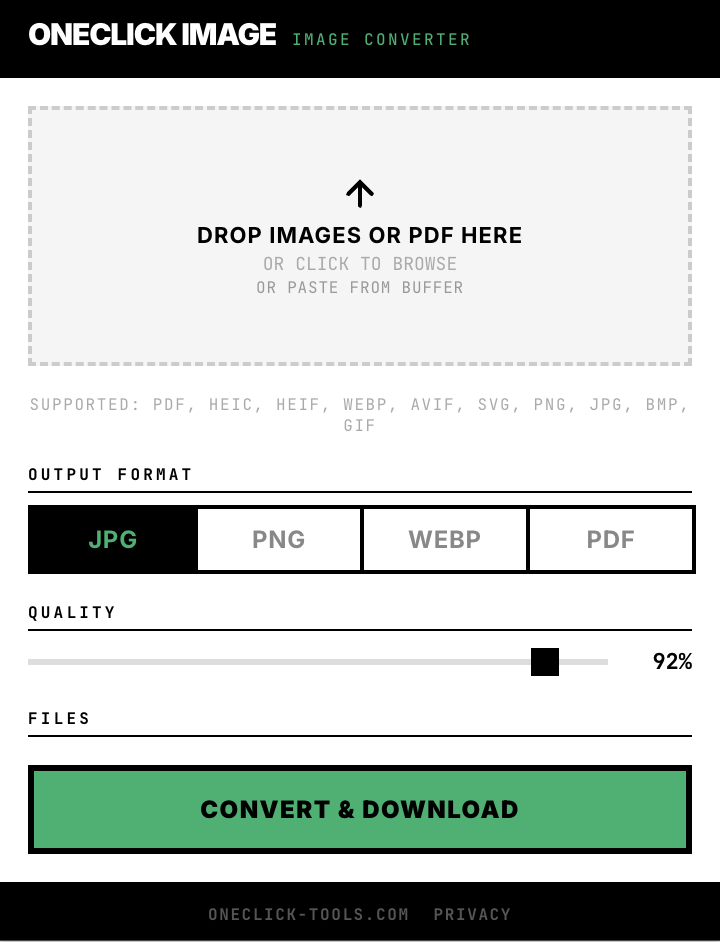
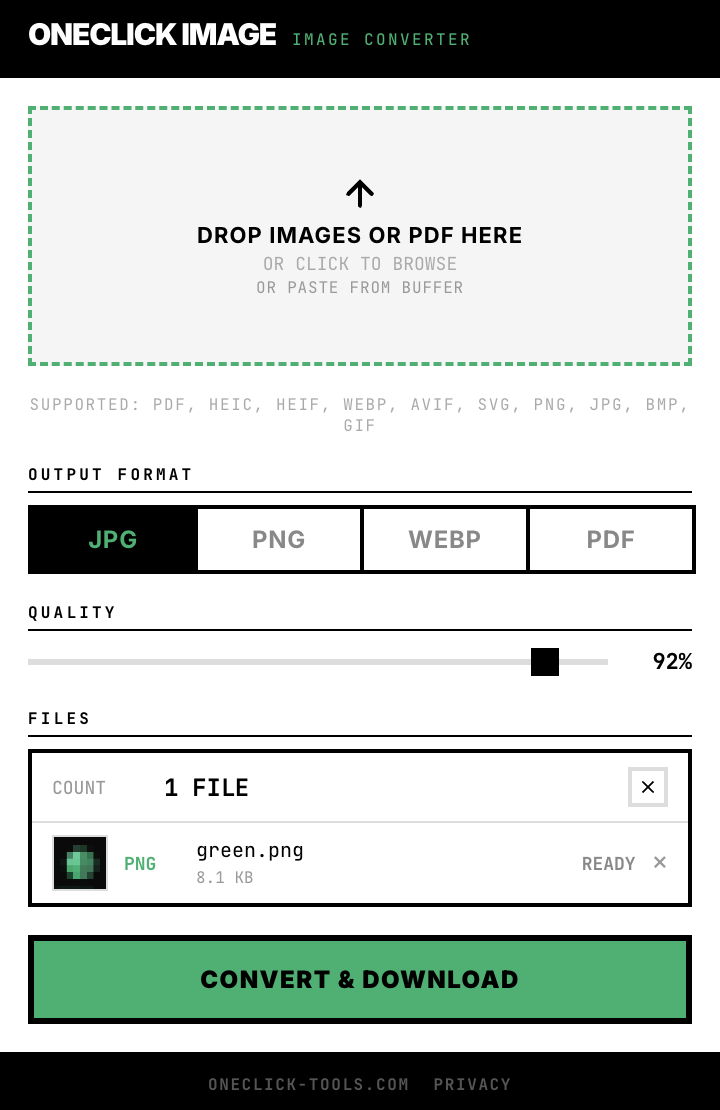
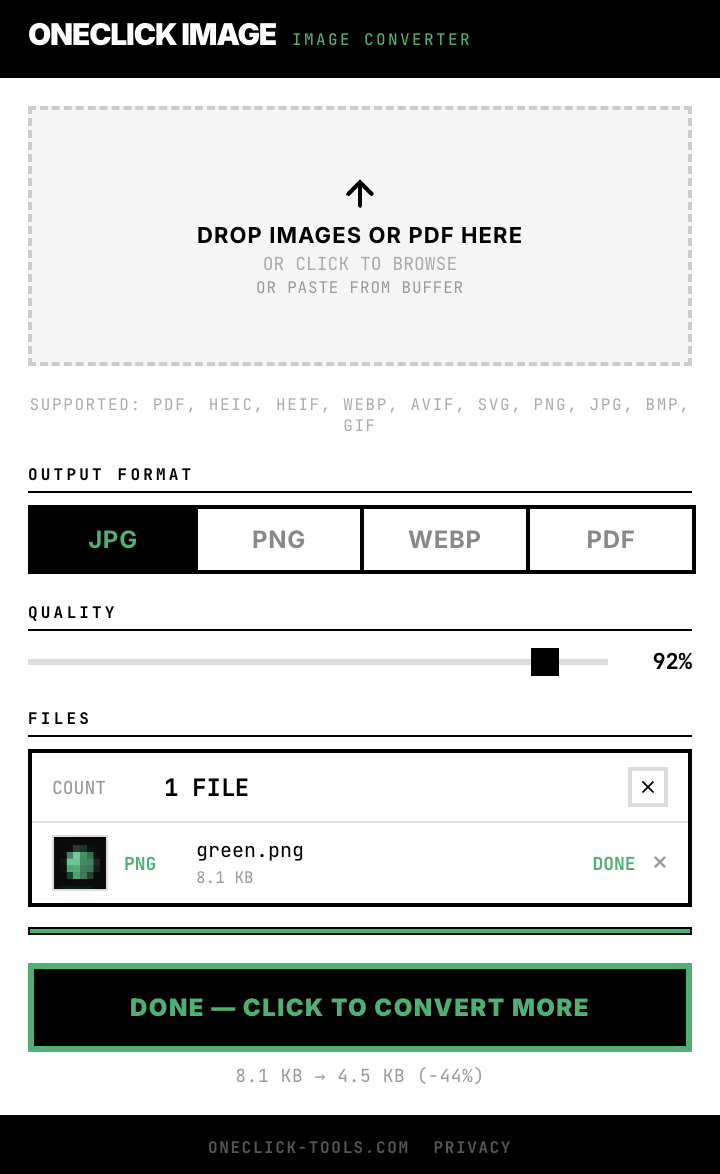
What Goes In, What Comes Out
10 formats in. 4 formats out.
Drop any of these
Get this
Every combination works · 40 conversion paths
Three steps. That's it.
Drop files
Drag and drop any images or PDFs. Or click to browse your files. Mix formats — it handles all of them.
Pick format
Choose your output: JPG, PNG, WebP, or PDF. One click to select.
Download
Single file? Direct download. Multiple files? One ZIP archive. PDF? All images in one document.
Batch Processing
Drop many.
Get one ZIP.
Mix any formats in one batch. Get everything converted and packed into a single download.
1 file
Downloads directly. No ZIP needed.
Multiple files
All packed into one ZIP. One click, one download.
PDF input
Each page becomes a separate image.
PDF output
All images merged into one multi-page document.
iPhone photos
to JPG
iPhones save photos as HEIC — a format most tools can't open. OneClick Image converts them instantly. No uploading to any website.
Your iPhone photos
Ready to use
PDF Works Both Ways
Drop a PDF — get each page as a separate image. Sharp output at 2× resolution.
Up to 50 pages per file · outputs as ZIP
Drop any images — get one multi-page PDF document. Any input format works.
All images combined into one document
Your files stay yours
How OneClick compares to online converters
| Online tools | OneClick Image | |
|---|---|---|
| File upload | Uploaded to server | Never leaves browser |
| Account required | Email or signup | No account needed |
| Speed | Depends on upload | Instant — no upload |
| Tracking | Cookies + analytics | Zero tracking |
| File size limit | Usually 10–50 MB | No limit |
| Works offline | No | Yes |
| Cost | Free with limits / $5–10/mo | Free |
FAQ
How much does OneClick Image cost?
The core features are available at no cost. Everything runs locally in your browser — no account required.
Do my files get uploaded to a server?
No, everything stays in your browser. Your files never leave your device.
What formats are supported?
Input: HEIC, HEIF, WebP, AVIF, SVG, PNG, JPG, BMP, GIF. Output: JPG, PNG, PDF.
Can I convert multiple files at once?
Yes, you can drop or select multiple files and they will all be converted in one batch.
Part of OneClick Tools
Browser extensions that do one thing well. No accounts. No tracking. Just tools.
Color
Eyedropper & Color Picker
Pick any color from your screen. Get it in 5 formats instantly. Zero permissions required.
HEX·RGB·HSL·HWB·CMYK

Font
Web Font Identifier
Hover over text. Click. Get every CSS property instantly. No DevTools. No account. No bloat.
7 CSS properties · ~30 KB · activeTab only

Blur
Screenshot & Blur Tool
Take a screenshot. Brush over passwords, emails, names. Download a clean image. Nothing gets uploaded.
Screenshot·Blur·Pixelate·Export

CSS
CSS & Tailwind Grabber
Hover over any element. Copy its clean CSS or Tailwind classes instantly. No DevTools, no account, no bloat.
CSS·Tailwind·Pseudo·Variables·History

Resize
Icon Size Generator
One image in, every size out. 7 platform presets, favicon.ico generation, custom sizes. ZIP Download.
Chrome·Favicon·PWA·iOS·Android·macOS·Social

Refresh
Auto Tab Reloader
Set an interval. Hit start. Your page reloads itself. Badge countdown on the icon. Remembers per site.
8 presets · Badge countdown · Per-site memory